Electronic Flight Bag · United States

Plan the flight. Know what's ahead.

Charts, weather, routes and your logbook. Together on the devices you already fly with.

Install the app and create your account in it. No card required · $60/year after your trial, plus applicable sales tax.

Available on iPhone & iPad Android Windows (beta)

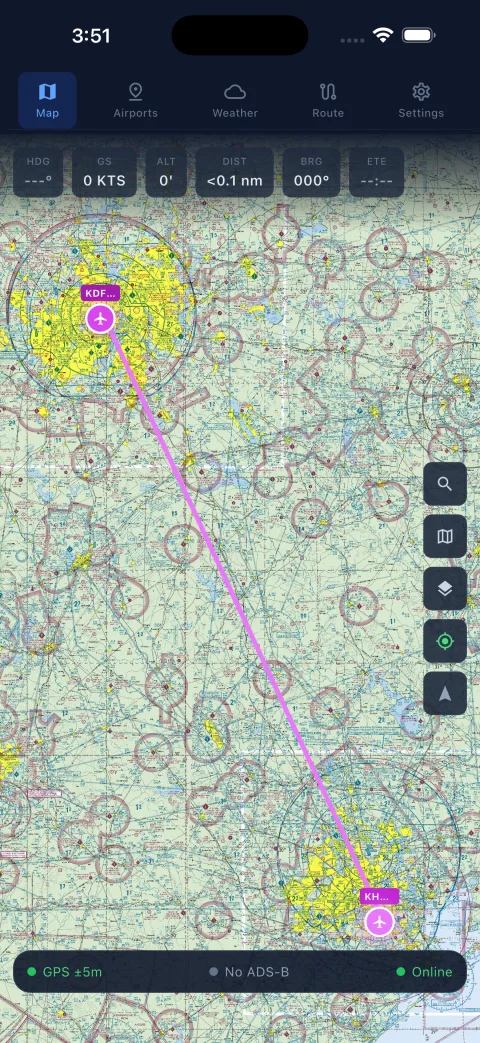
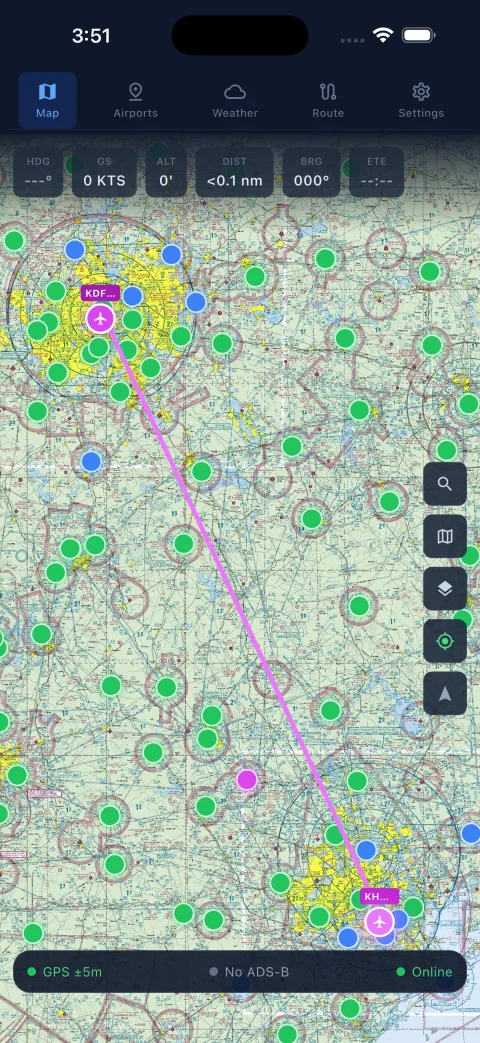
MagentaLine on a phone: a VFR sectional around Dallas with airport weather flags and ownship position
Actual app screen: VFR sectional with airport weather.
Downloads · 14-day free trial

Get the app.

Install it, then create your account right in the app. Your 14-day trial starts at that first sign-in, with no card required. One account works on every device.

Windows 10 or later, 64-bit. The Windows build is a beta and the installer isn't code-signed yet. SmartScreen may warn on first run: choose More info, then Run anyway.

The app

This is what you'll fly with.

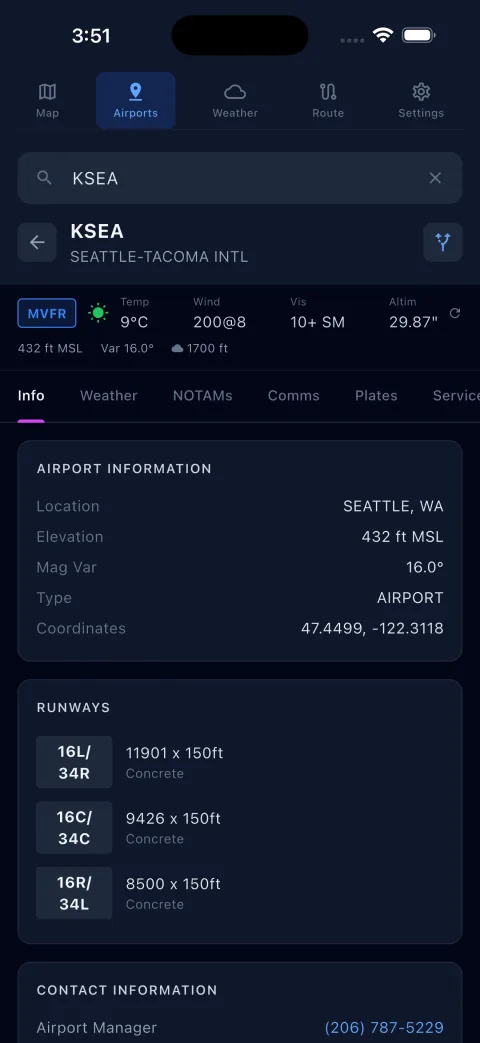
Real screens from the current release, not mockups. Pick a view.

Moving map on a VFR sectional with weather flags at nearby airports
Moving map
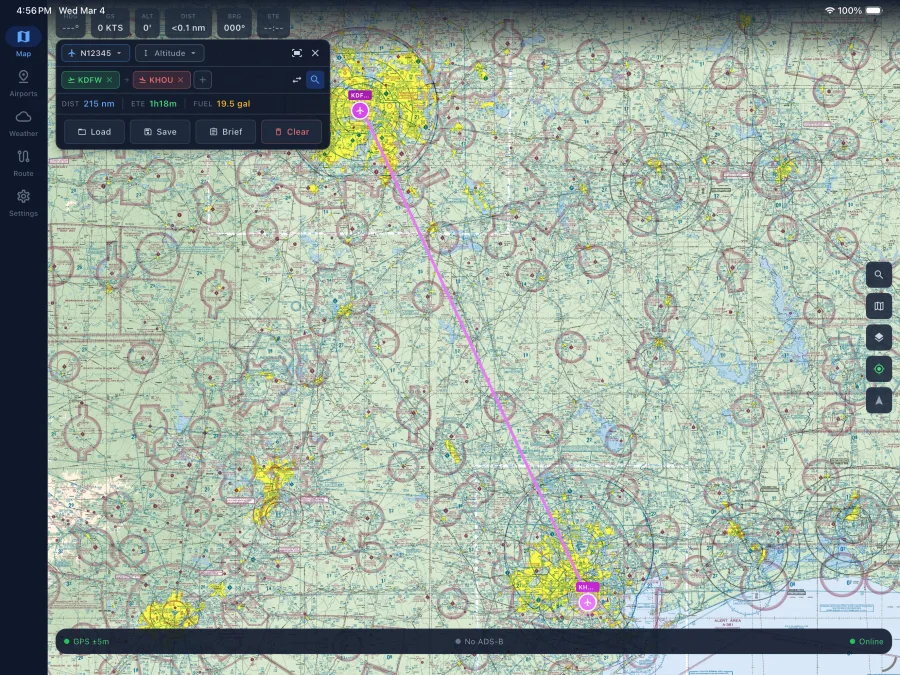
Route planning on an iPad, with the route drawn on the chart beside the nav log
The same account on an iPad: route planning with the chart and nav log side by side.
How it fits a flight

Before, during, after.

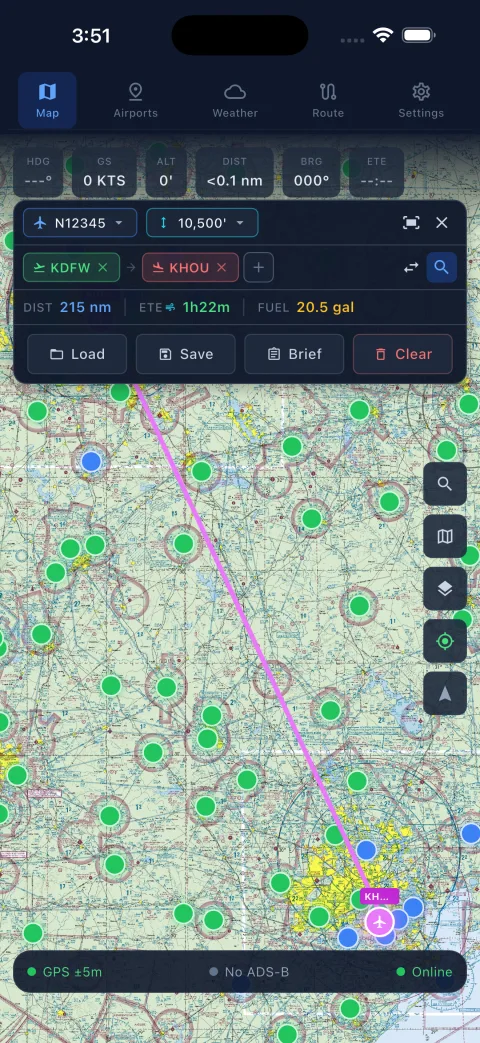
Build your plan

Draw the route on the chart, check the nav log and weight & balance for your aircraft, and read a weather and NOTAM briefing for the whole route, including TFRs.

Prepare for offline

Download charts, approach plates and airport data for the areas you fly. In the air, the map, plates and your plan need no connection. Connect a GDL 90 receiver for traffic.

Keep your record

Flights land in a digital logbook with currency tracking, synced to every device signed in to your account.

Included

One plan, every feature.

No tiers and no add-ons. Every subscriber gets the whole app.

Coverage
United States. FAA charts, plates and airport data for US airspace.
Devices
iPhone, iPad, Android phones and tablets, and Windows PCs (beta). One account signs in everywhere.
Connectivity
Downloaded data works offline. Live weather, internet traffic and sync need a connection.
Receivers
GDL 90 ADS-B receivers over Wi-Fi for in-flight traffic.
Pricing

Try it for 14 days. Then $60 a year.

Install the app, sign up inside it and fly with everything unlocked. Subscribe only if you want to keep going; nothing is charged automatically.

$60/ year

Plus applicable sales tax, calculated at checkout. Cancel anytime; your access runs to the end of the paid year.

Questions

Before you download.

What works without a connection?

Anything you've downloaded: charts, approach plates, airport data and your saved plans. Live weather, internet traffic and sync resume when you're back online. Traffic from a GDL 90 receiver works in flight with no internet.

When do I pay?

Only if you choose to subscribe. The trial needs no card, and it doesn't roll into a charge. Subscriptions are $60 per year plus applicable sales tax, billed through Stripe.

Can I use it on more than one device?

Yes. Your subscription belongs to your account, not a device. Sign in on your phone, tablet and PC and your plans, logbook and settings sync between them.

Which ADS-B receivers work?

Receivers that speak the GDL 90 protocol over Wi-Fi. MagentaLine shows the traffic they receive, including TIS-B rebroadcasts. It is a display aid, not a collision-avoidance system, and it doesn't transmit ADS-B Out.

Where is MagentaLine available?

In the United States, with FAA charts, plates and airport data for US airspace.

What's the Windows beta?

The same app for Windows 10 and later, distributed as an installer that isn't code-signed yet. SmartScreen may warn on first run; choose More info, then Run anyway. Please send feedback to support@magentaline.app.